
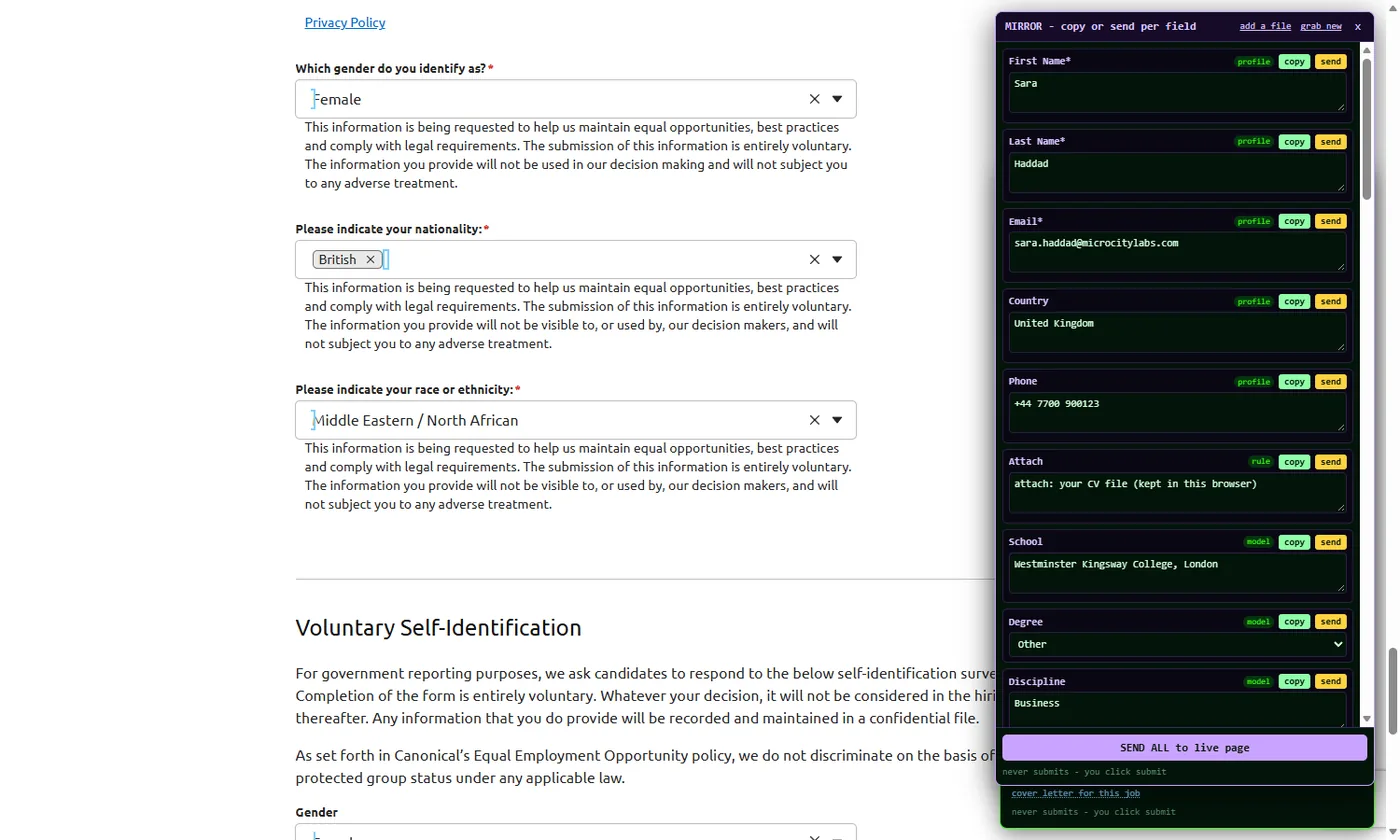
What it fills on an application
- Contact and identity: name, email, phone, address, country, LinkedIn and portfolio links.
- Work history and education: employer, title, dates, school, degree, discipline, with the page's own dropdown options.
- Screening questions: location, right to work, visa sponsorship, notice period, salary expectation, relocation, "have you worked here before". Answers come from your CV and the facts you added ("Notice period: 1 month").
- Free-text questions: "Why this role?", "Tell us about a project". Drafted from your material and the job text, shown in the mirror for you to edit.
- The CV upload field, from the file you chose once.
- Voluntary self-identification dropdowns, only when your profile holds those answers; otherwise they stay empty for you to decide.
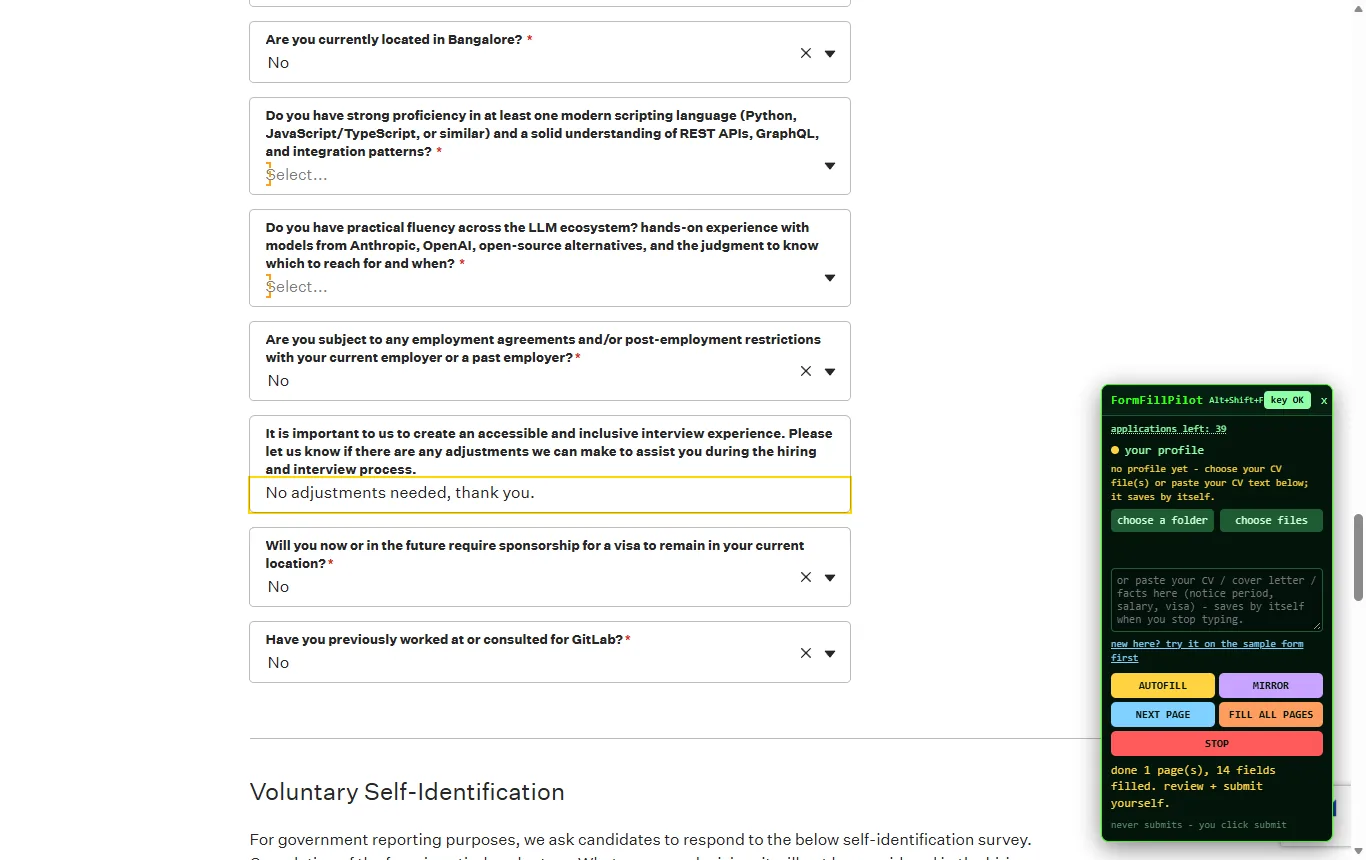
14 fields, one press, nothing sent. Location, scripting question, restrictions, adjustments, visa: answered from the profile, then "review and submit yourself".
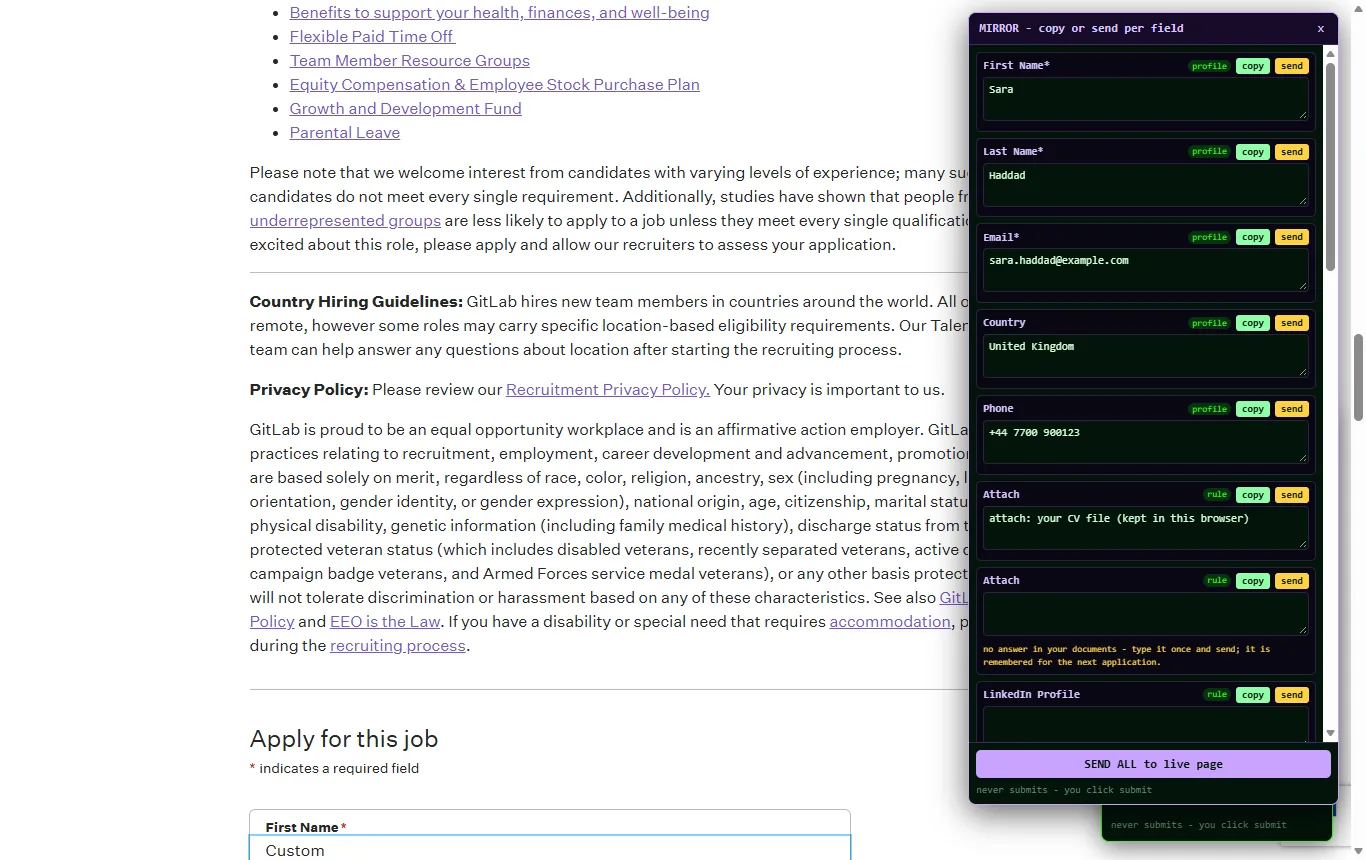
The mirror before typing. Read each answer, copy or send it, or SEND ALL. An empty card tells you your files hold no answer yet.
Why not an auto-apply bot
- A bot sends the same generic answers to every job. Recruiters recognise them, and many job boards forbid automated submissions in their terms.
- A bot cannot tell you what it wrote. FormFillPilot's mirror shows every answer before it goes in.
- A bot applies to roles you would not have chosen. Here, you open the job and you press submit; the extension only saves you the retyping.
The routine that works is in the guide How to auto-apply for jobs without a bot.
Remembered answers
The first time a question has no answer in your files, you type it once in the mirror and send it. It is kept under your key, so the next application that asks "Are you willing to relocate?" is answered the same way, and a wording you used before can be reused or rephrased.
Three free, then one price
The first 3 applications are free with no card, whatever their number of pages. Then $15 once activates FormFillPilot with a full AI usage bar; each application takes a small part of it, and refills are $5. One-time, never expiring. Pricing
Practice on the sample application
Example Logistics is a made-up company hiring nobody: the sample form is connected to nothing. Paste your CV text, press AUTOFILL, read the mirror, and press the sample's submit to see that nothing was sent.