
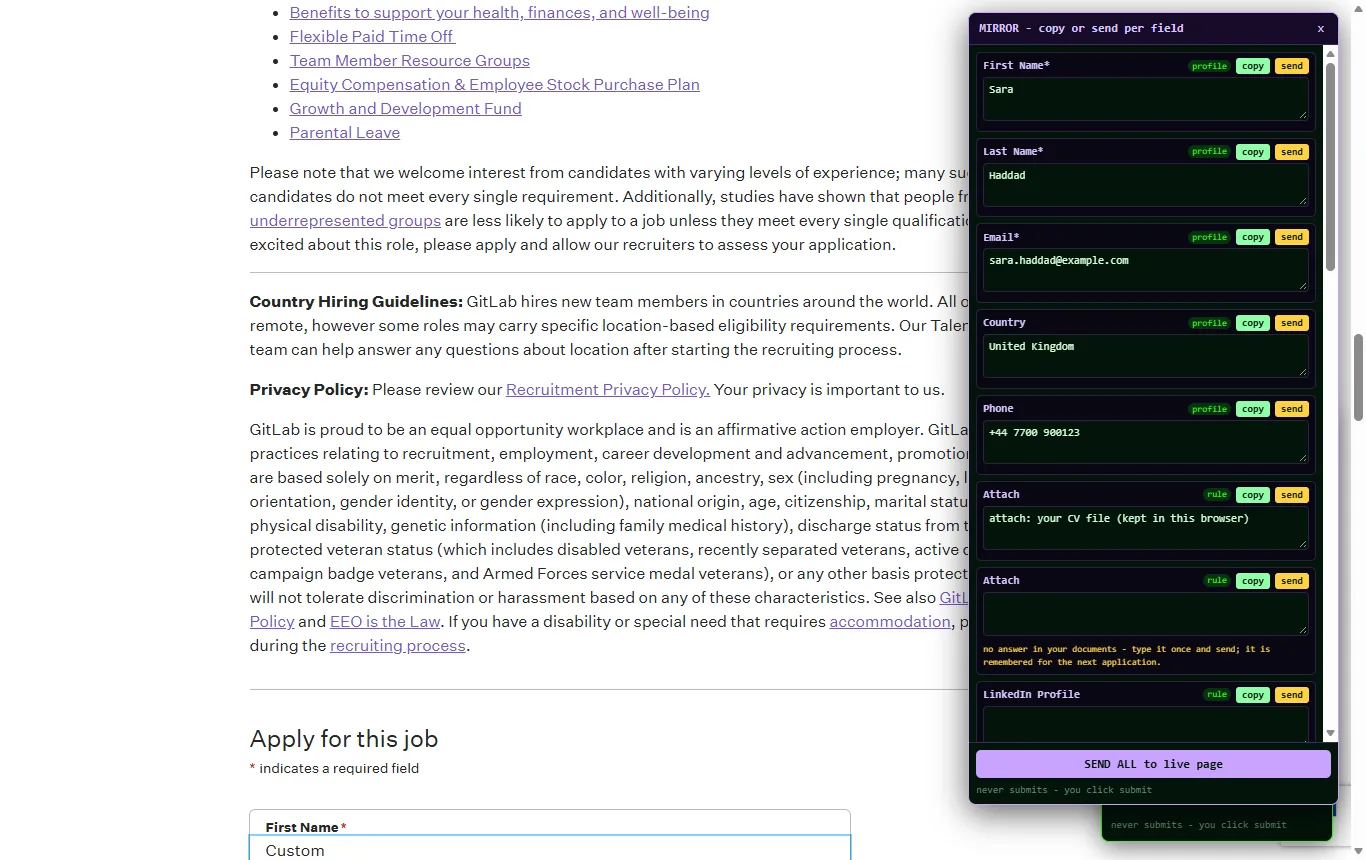
What is in the panel
AUTOFILL FILL MISSING MIRROR NEXT PAGE FILL ALL PAGES STOP Alt+Shift+F
- AUTOFILL fills every field it can on the page you are on, outlines each one and reports "filled 22/22, review and submit yourself".
- FILL MISSING fills only the empty fields and leaves what you or the site already typed. A placeholder or a "$0.00" mask counts as empty.
- MIRROR lists every field with its answer, a copy button and a send button, and a SEND ALL for when you have read them. Choice fields are drawn with the page's own options.
- NEXT PAGE and FILL ALL PAGES carry a multi-page application through; STOP halts anything at once.
- Right-click a field, "fill this field" when you want just one answer.
What it reads
- Pasted text: your CV, a cover letter, facts such as notice period, salary expectation or visa status. It saves by itself when you stop typing.
- Files: PDF, Word and text files, one at a time or a whole folder with "choose a folder".
- Photos and scans of certificates or ID cards, read once by the vision model and kept as text (up to 10 photos free during the trial).
- Facts files: a JSON file, or a Markdown file with "Label: value" lines ("Delivery days: 3", "VAT number: GB 452 118 903"). These are what make tier tables and supplier fields fill, not only CV fields.
The result is a structured profile: name and contact, work history, education, skills, business details and facts. The raw files are not stored on our server; the profile is kept under your key so you never add the same material twice.
Profiles
Keep as many named profiles as you have uses: one for job applications, one for the company, one per gig. "New profile" starts clean, "save as new" keeps the current one under a name, and the profile list switches between them. Each profile remembers the files it was built from, so a dimmed file simply means "read on another computer, add it again to get it back".
Where it works
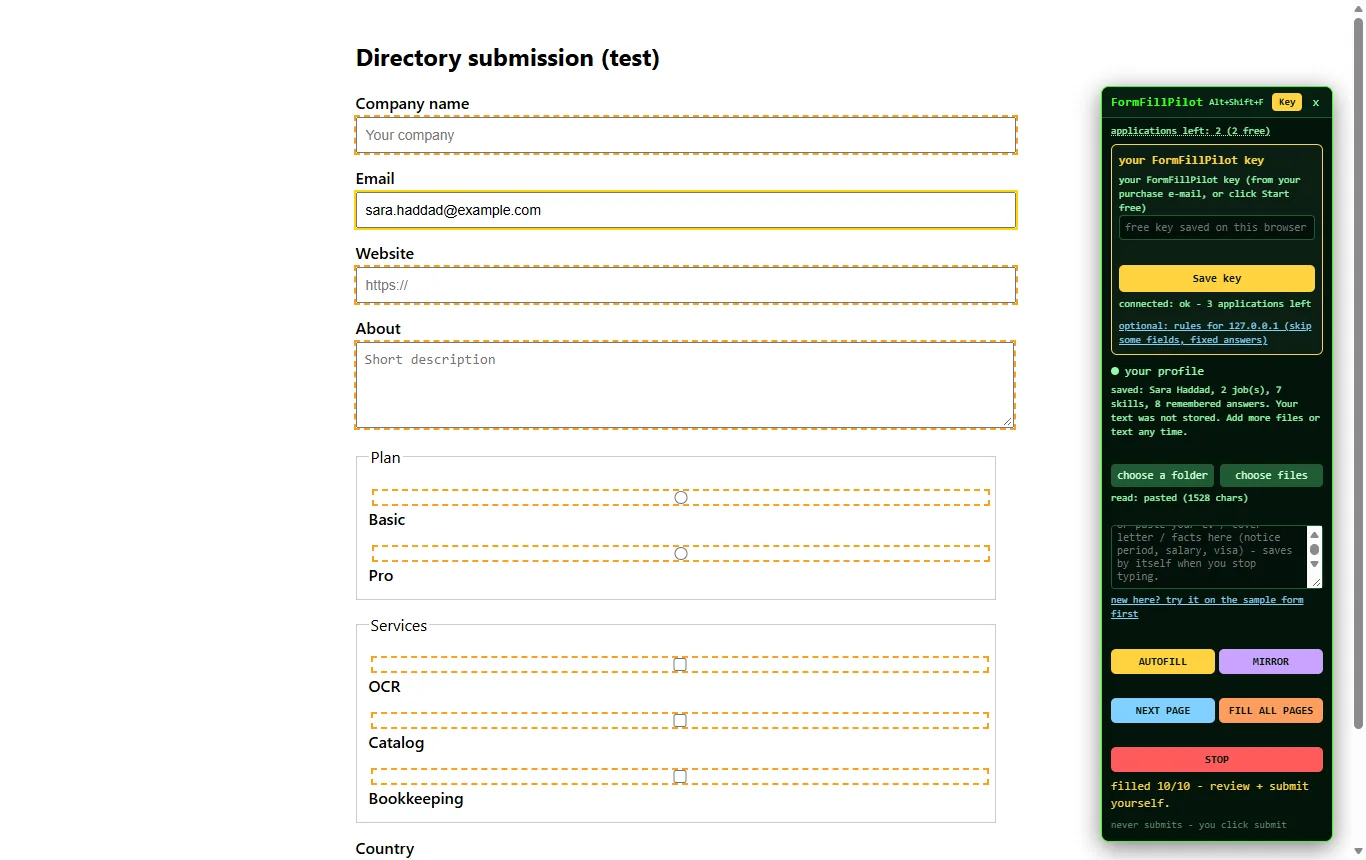
Outlines before typing. Every field the extension is about to fill is outlined on the page, so what happens is visible from the first second.
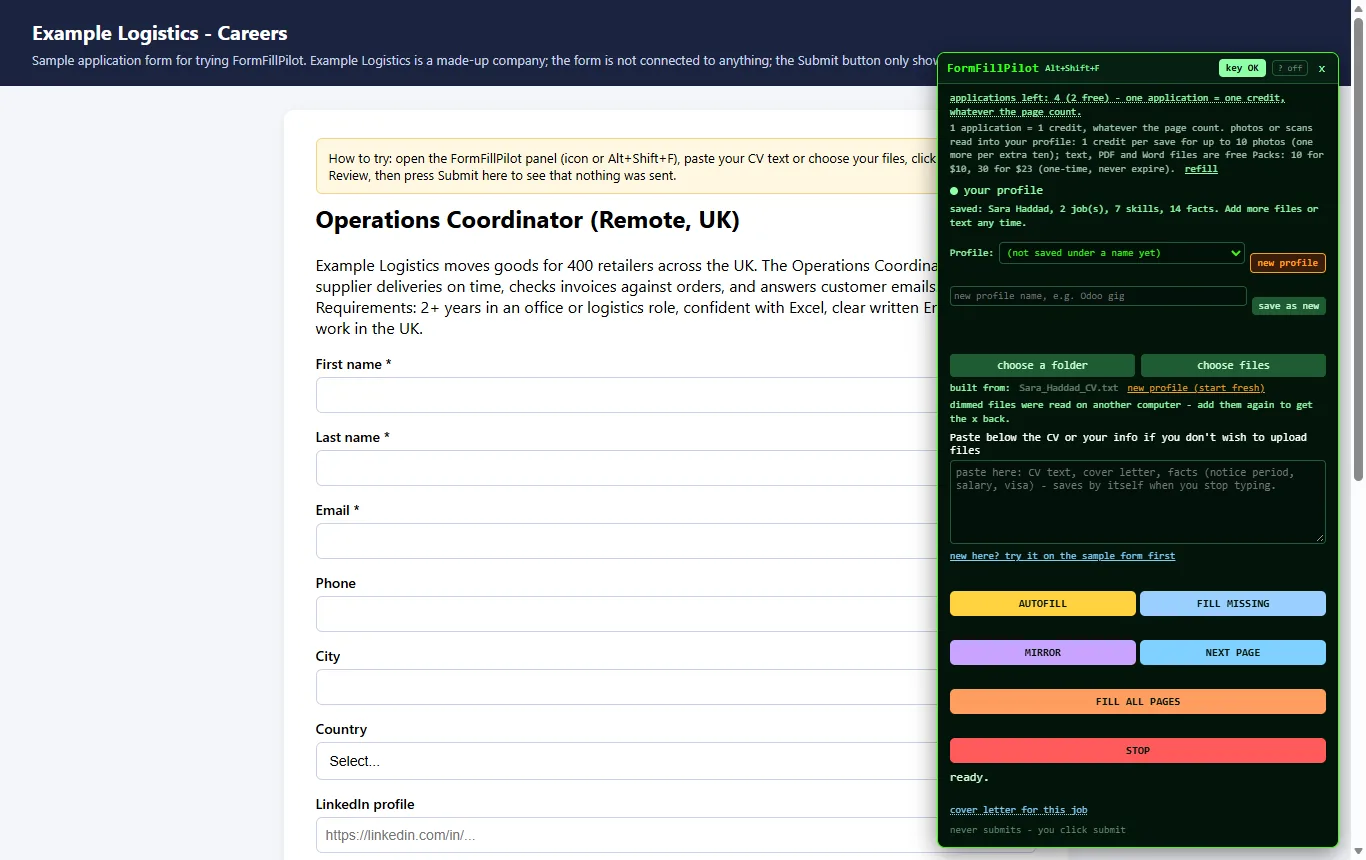
The sample form. A practice application connected to nothing, where you can try the whole flow with 3 free applications and no card.
- Job applications on Greenhouse, Lever and company career sites, including the screening questions and the voluntary self-identification dropdowns when your profile holds those answers.
- Marketplace seller forms with tier tables (delivery days, revisions, hours, price per tier).
- Supplier registrations, seller portals and directory submissions.
- Forms inside embedded frames, and pages built from custom widgets, with the mirror's copy button as the fallback for the odd field.
Cover letter for this job
The panel's "cover letter for this job" link drafts a letter from your profile and the text of the job page you are on. It is a draft in the mirror: read it, change it, then send it into the field. Nothing goes out on its own.
Site rules
For a site you fill often, optional rules: skip some fields, use a fixed answer for others. They are stored under your key and apply only to that site.
Privacy in one paragraph
The labels, types and option lists of the form, and the visible text of the page, are sent to the FormFillPilot engine on our servers so the answers can be planned. They are not kept beyond a session log (site address, page title, number of fields, how long it took). Your profile and the answers you accepted are kept under your key until you delete them. The extension reads only the page where you opened the panel. The long version is on the privacy page.
Three free applications, no card
Open the sample form, paste any CV text and press AUTOFILL. Then try it on the real form you were dreading.