
The folder
Three files in one folder, chosen once with "choose a folder" in the panel:
- core.md: who we are and what we sell. Business name, the one-line pitch, the skills list, the categories, the languages.
- details.md: this project. Title, description paragraphs, what the buyer gets, what we need from the buyer.
- fields.json: the exact values the form asks for, named as the form names them:
{
  "Starter delivery days": 1,   "Starter revisions": 1,  "Starter hours": 3,  "Starter price": 70,
  "Standard delivery days": 3,  "Standard revisions": 2, "Standard hours": 9,  "Standard price": 180,
  "Advanced delivery days": 5,  "Advanced revisions": 3, "Advanced hours": 18, "Advanced price": 350
}
The profile the engine builds from the folder holds the business, the project text and the facts; the raw files are not stored. A new project means editing details.md and the numbers, then "add a file" so the profile picks up the change.
The tier table
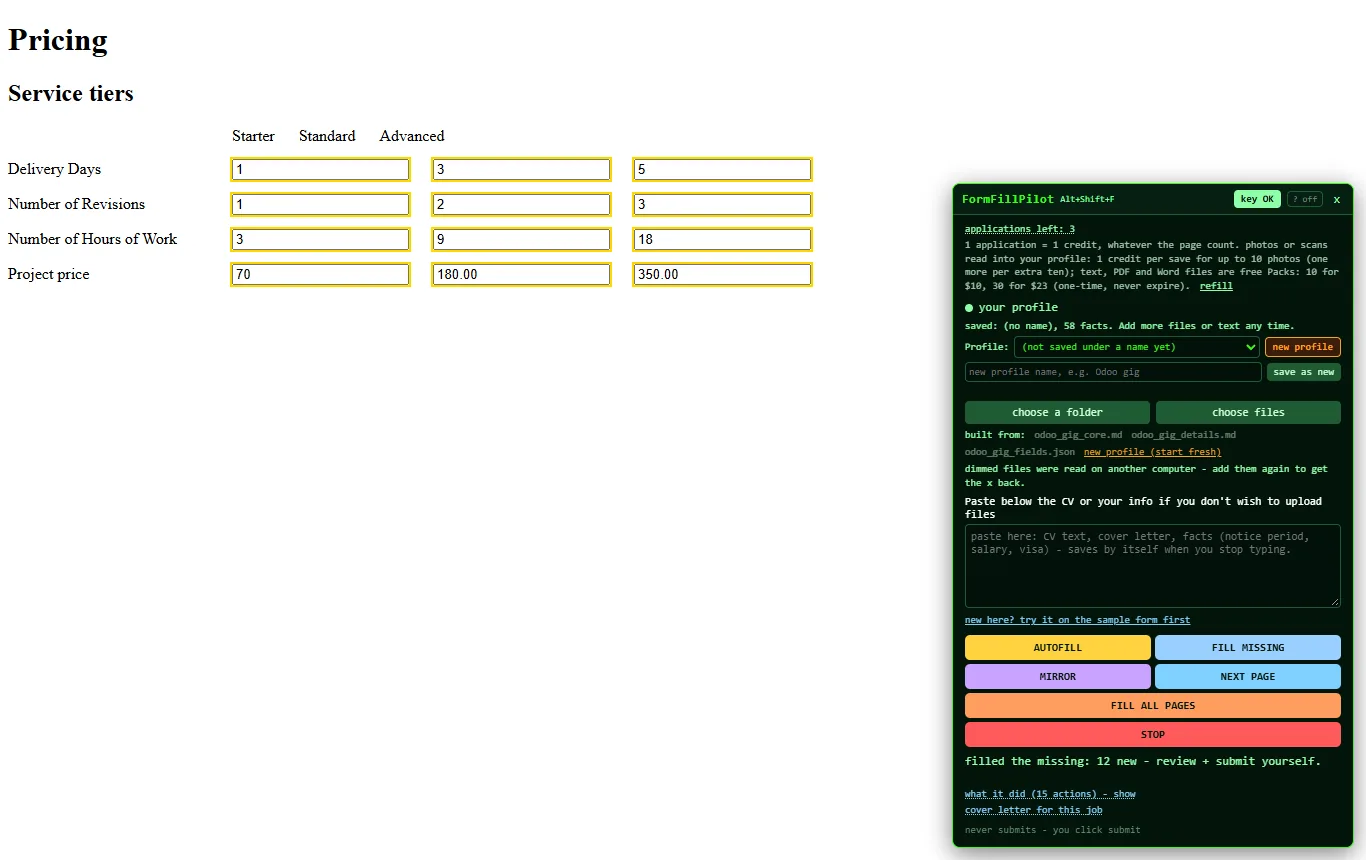
The grid is the part nobody enjoys: four rows, three columns, twelve boxes. Each box is read with its column header (Starter, Standard, Advanced) and its row label (Delivery Days, Number of Revisions, Number of Hours of Work, Project price), so "Standard delivery days: 3" finds its box. One press of FILL MISSING, twelve boxes.
FILL MISSING, not AUTOFILL, on this form
The catalog form pre-fills its price boxes with "$0.00" and its counts with "0". To a person they look empty; to a filler they look filled. FILL MISSING treats a placeholder, a "$0.00" or a "0" mask as empty and fills it, while anything you typed yourself is left alone. On a form you are editing for the second time, that is the button.
The requirement boxes and the text fields
The "requirements from the buyer" boxes have a hidden helper label before each one, so a naive reader calls them all "Requirement Description". The mirror shows the visible label next to the box instead, and the answers come from details.md. The title, the description paragraphs and the search tags come from the same file.
What you still do
- Read the mirror. A number in the wrong tier is yours to catch before it is saved.
- Press the site's own "Save" and "Publish". The extension has neither.
- Keep the folder current. Change the numbers there, not in the form, so the next project starts right.
Any long seller form works the same way
A folder with the facts, FILL MISSING, read, press the site's button. Three free applications to try it.