
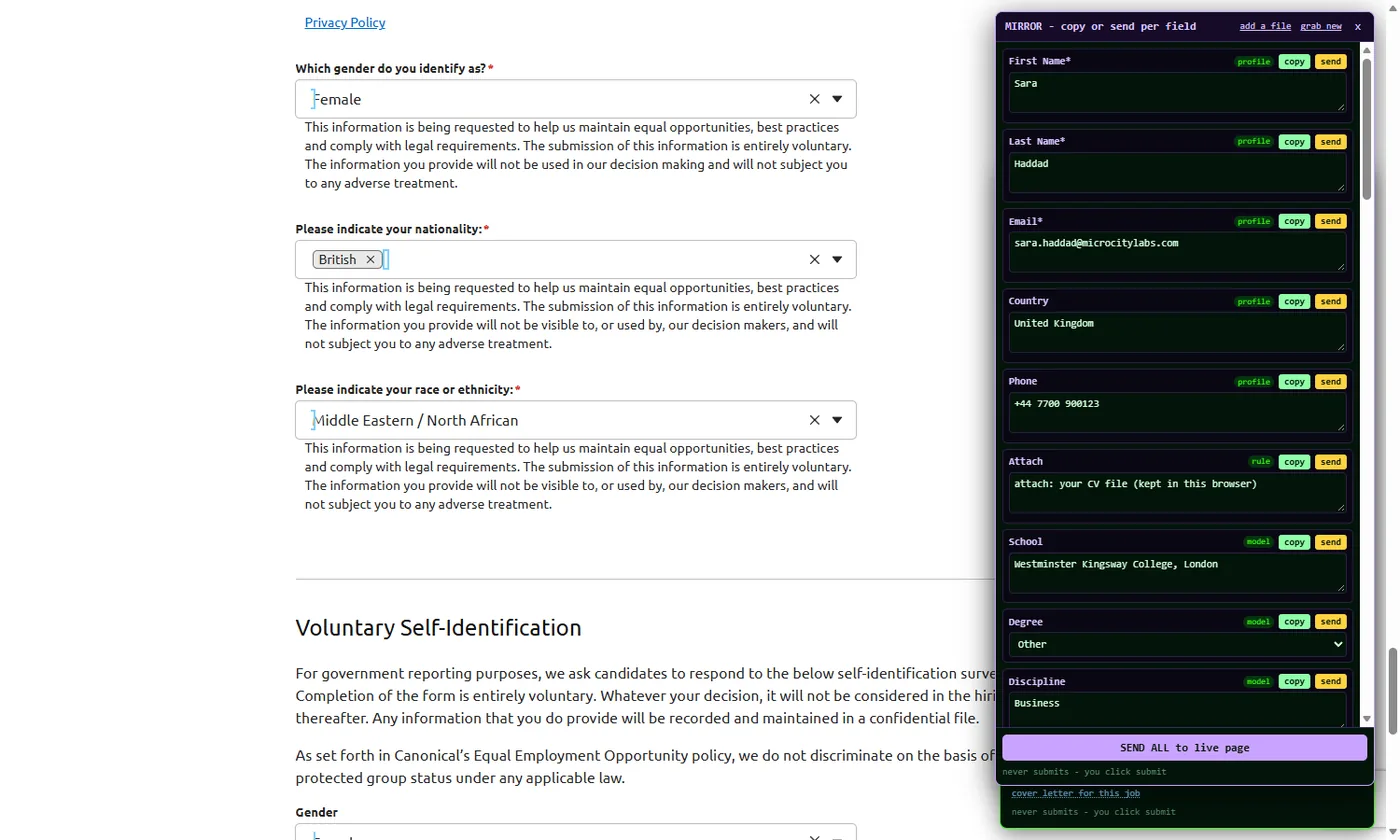
Two doors, one profile
FormFillPilot works without installing anything: the web version is a bookmark you click on any page with a form, and PDF forms are filled on the PDF page. Both use the same profile, the same key and the same AI usage bar.
FormFillPilot for web forms
The web version, in a desktop browser. Job applications, supplier registrations, marketplace listings, directory submissions: any form on any site. Your files become a profile once; each form is filled from it, outlined on the page, listed in a mirror you can read, and left for you to submit.
FormFillPilot for PDF forms
Fillable PDF forms filled from the same profile, in any browser on a computer: the IRS W-9 and W-4, the USCIS I-9 and I-765, and any other fillable PDF. Every box is outlined, answered from your files and shown for review, then you download the filled PDF. It is sent nowhere, and deleted from the engine within 30 minutes.
How it works
Add your files
On the PDF page, paste your CV text or choose PDF, Word or text files. A company sheet or a file of "Label: value" facts works the same way. The profile is built once, kept under your key, and fills web forms and PDF forms alike.
Open a form, press AUTOFILL / REFILL
Click the web version's bookmark on the page with the form. The page's fields are read where you are. Each one gets an answer from your profile, is outlined on the page and listed in the mirror with a copy and a send button. Multi-page forms are filled page by page.
Read, adjust, submit
Change any answer in the mirror or on the page. Then you press the site's own submit button. FormFillPilot has no submit of its own, on purpose.
Made for the forms people actually fill
Job seekers
Application forms on Greenhouse, Lever and company career pages: contact details, work history, screening questions, a cover letter drafted for this job. Job applications
Freelancers and gig sellers
Marketplace listing forms with tier tables, delivery days and prices, filled from the files you keep for the gig. Upwork project catalog forms
Businesses
Supplier registrations, seller portals, directory submissions and repeated data entry, filled from a company sheet with VAT number, registration number, address and opening hours. Business forms
Proof, not adjectives
These are screenshots from our own test runs on real pages, with the panel as it is today.
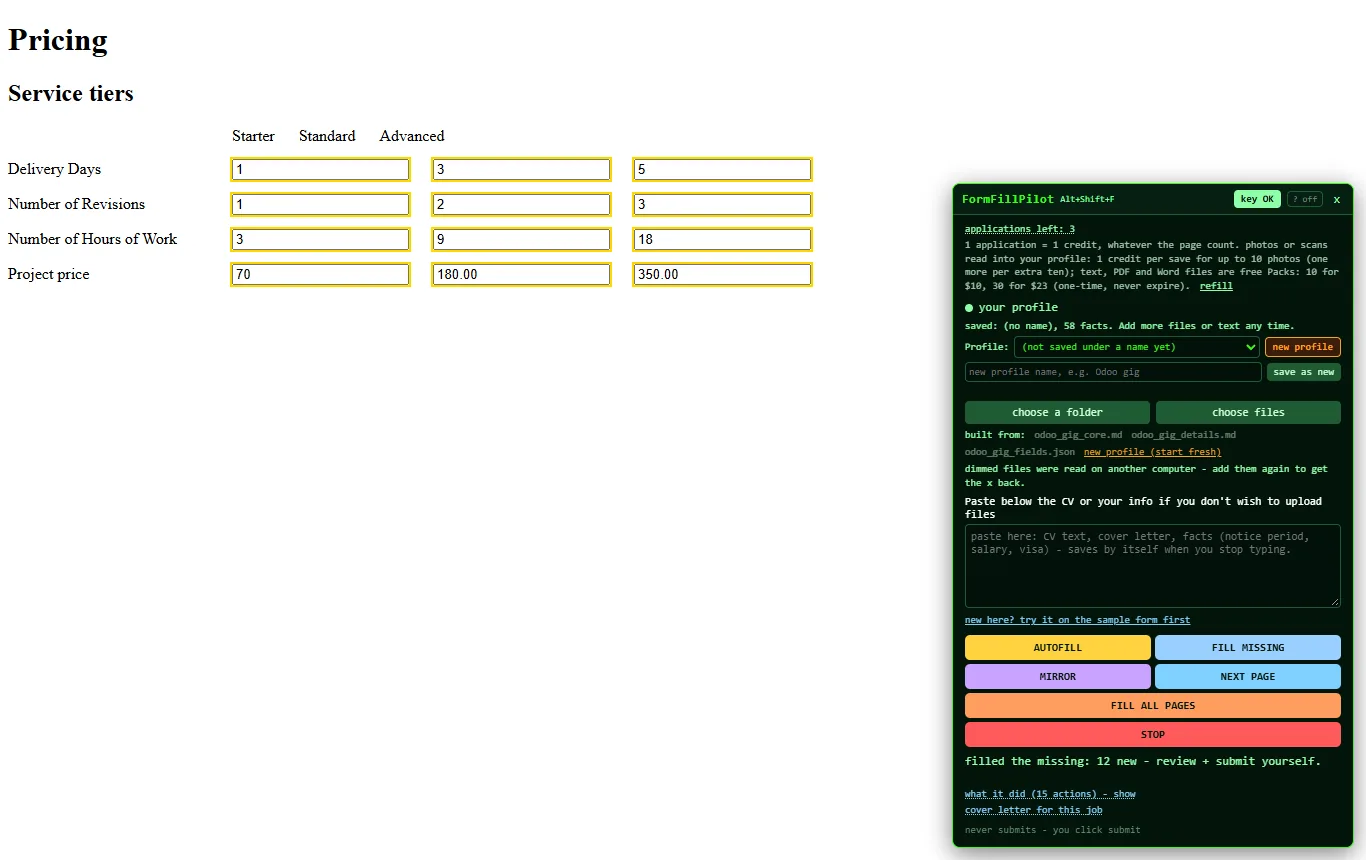
Tier table, 12 fields in one press. Starter, Standard and Advanced columns filled from two Markdown files and one JSON file.
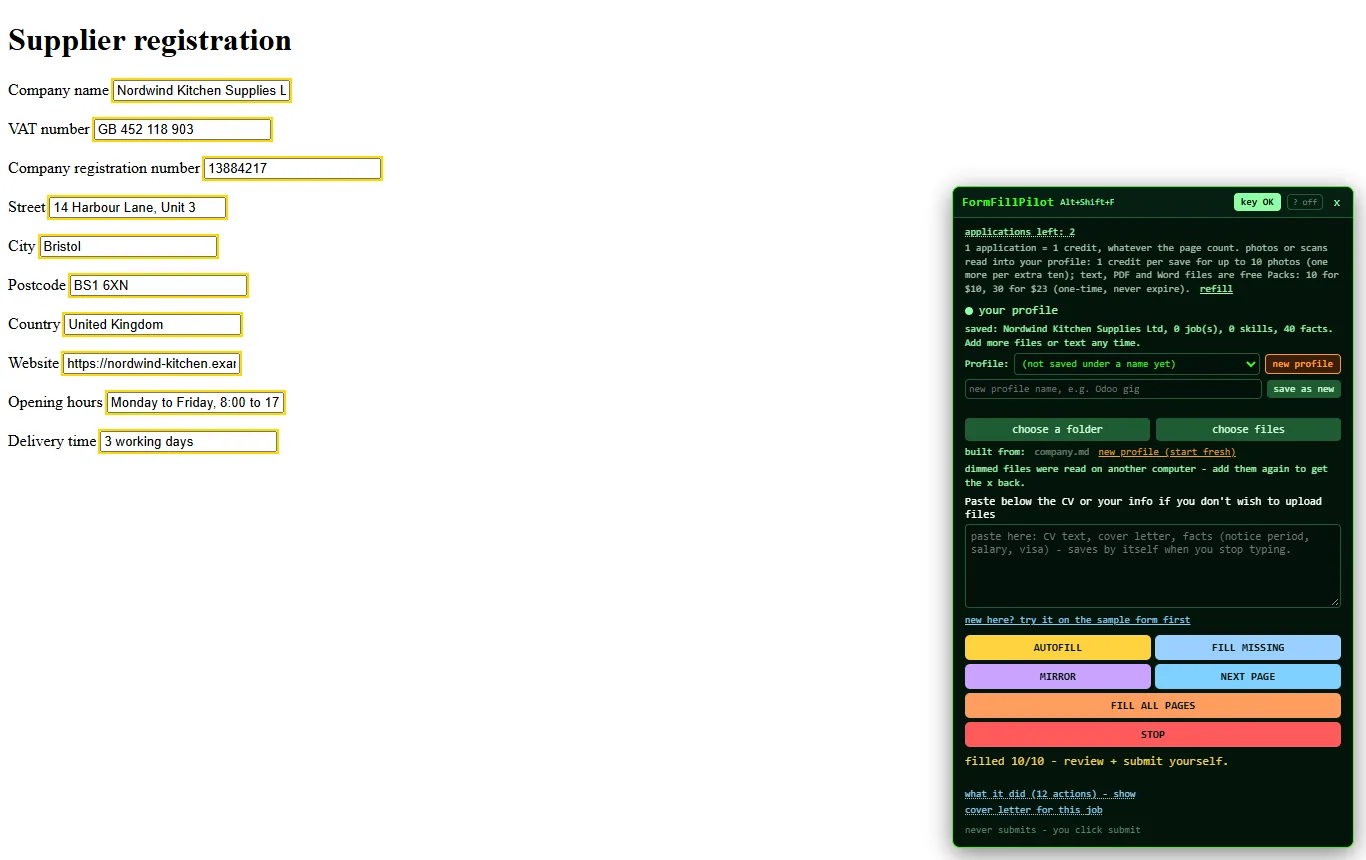
Supplier registration, 10 of 10. No CV involved: a company sheet is enough for VAT number, registration number, street, opening hours and delivery time.
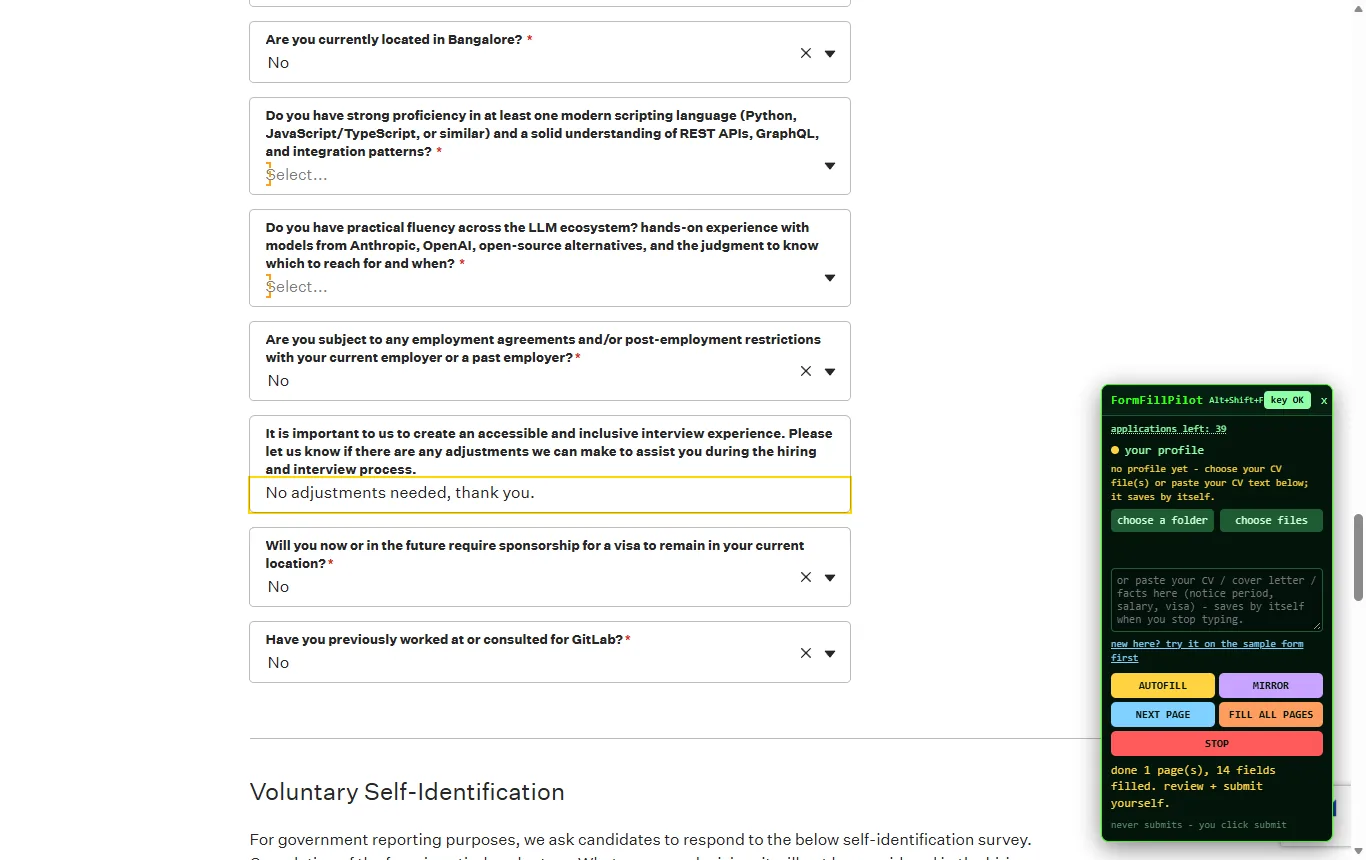
Screening questions answered, nothing sent. Location, visa, restrictions and adjustments answered from the profile; the panel ends with "review and submit yourself".
What it will never do
- Submit. FormFillPilot has no submit button. You press the site's own.
- Invent. Answers come from your files and the answers you accepted before. Empty stays empty until you fill it.
- Keep your raw files on our server. They are read once into a structured profile (name, contact, history, skills, facts).
- Read the rest of your browser. It works only on the page where you clicked it: no history, no other tabs, no passwords, no cookies. Your key stays in the FormFillPilot box on that page; the site cannot read it.
One price, not a subscription
Start with 3 free applications and no card. Then $15 once: FormFillPilot plus a full AI usage bar. Each fill takes a small part of the bar; refill for $5 when it runs low. One-time, tax included, nothing renews, nothing expires. Pricing
Try it on the sample form first
A practice job application that is connected to nothing. Add any CV text on the PDF page with the free key, click the web version's bookmark on the sample form, press AUTOFILL / REFILL, and see the outlines, the mirror and the "never submits" line for yourself.