
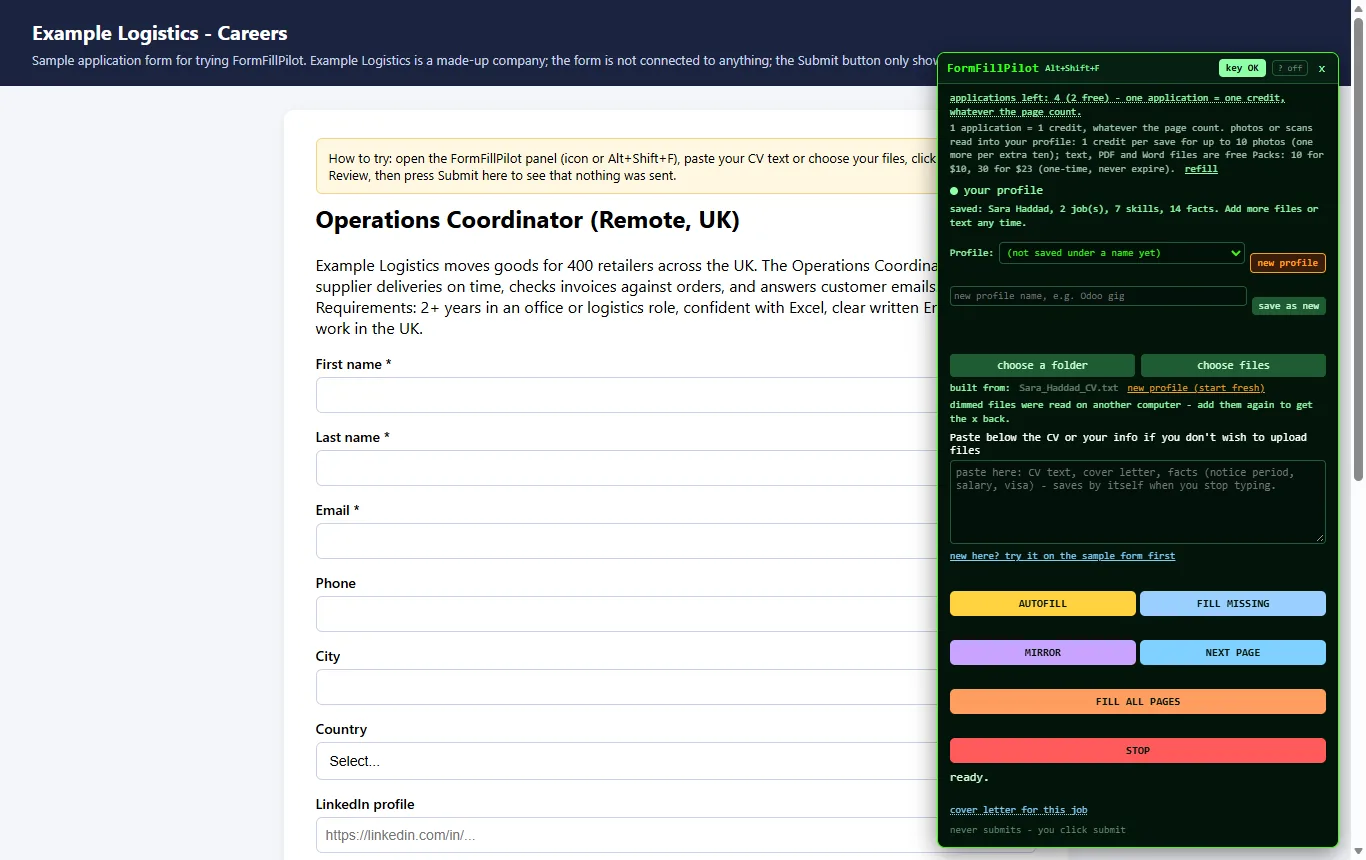
Your files become a profile
Read once
CV text, PDF, Word and text files, a whole folder, photos of certificates, a JSON or Markdown file of facts. The FormFillPilot engine reads them and returns a structured profile: name and contact, work history, education, skills, business details, facts.
Kept under your key
The profile is stored on our server under your key, so the next form needs no upload. The raw files are not kept. The CV file for upload fields stays in your browser.
Several profiles
Name them: one for applications, one for the company, one per gig. Each remembers the files it came from.
The page is read where you are
When you open the panel, the extension reads the form on that page: each field's label, type and option list, the table headers a field sits under, and the visible text of the page (a job title and description, a portal's instructions). Forms inside embedded frames are included. Hidden helper labels lose to the visible one next to the box, so the mirror shows the headers you see.
The engine plans one answer per field
The field list and the page text go to the FormFillPilot engine on our servers, which matches each field to your profile: a direct fact ("VAT number"), a history entry ("most recent employer"), a remembered answer ("willing to relocate"), or a drafted text for a free question. A field with no answer in your material is returned empty and marked; nothing is invented.
Outlines, mirror, and your submit
Outlines
Every field about to be filled is outlined on the page. AUTOFILL fills them all; FILL MISSING fills only the empty ones.
Mirror
A list of every field with its answer, a copy and a send button each, choice fields drawn with the page's own options, SEND ALL when you have read them.
Your submit
The extension has no submit button. The last line of the panel says it: never submits, you click submit.
The AI usage bar
The first 3 applications are free with no card. Then $15 once activates FormFillPilot with a full AI usage bar, and refills are $5 for one bar or $10 for two - one-time, tax included, never expiring. Each fill takes the part of the bar its AI work needs: a page the profile rules answer on their own takes nothing, FILL MISSING on fields the AI already answered takes nothing, and photos are read once and kept as text. Pricing
What is stored, in one table
| Where | How long | |
|---|---|---|
| Your raw files | Read once, not stored | - |
| The structured profile | Our server, under your key | Until you delete it |
| The CV file for upload fields | Your browser's extension storage | Until you remove it |
| Answers you accepted | Our server, under your key | Until you delete them |
| The form's labels and the page text | Sent per fill, not stored | Session log only: site, page title, field count, duration |
| Payment details | Stripe (this site) or Paddle (microcitylabs.com), never us | Their retention |
The full text is on the privacy page.
See the four steps on the sample form
Three free applications, no card. The sample application is connected to nothing.